


Essential Star Citizen Gear & Hardware Setup Guide
The definitive Star Citizen accessories and peripherals database: HOSAS, flight sticks, tracking hardware, force feedback rigs and VR headsets. Curated for high-fidelity simulation by CMDR Quattro.
Last updated 29 September 2026
Why upgrade your Star Citizen setup?
Playing Star Citizen on a mouse and keyboard gets you into the cockpit, but it leaves a massive gap between you and the ship. Switching to HOSAS (Hands On Stick And Stick) gives you true 6DOF control: strafe, yaw, pitch, and roll all mapped to physical inputs, the way the flight model was designed to be flown. In dogfights and contested zones, the difference is immediate.
HOSAS or HOTAS? A HOTAS (Hands On Throttle And Stick) pairs one joystick with a dedicated throttle, which is the layout most flight sims assume. HOSAS uses two joysticks instead, and it suits Star Citizen better because the flight model asks for constant strafing on all three axes, which a throttle cannot give you. If you already own a HOTAS it works well here, and the HOTAS section below covers the cheapest way to build one from scratch, but if you are buying new for Star Citizen, two joysticks is the setup most pilots settle on.
Eye and head tracking layers on top of that. Instead of holding a button to look around, your head movement directly controls your in-cockpit view. Target acquisition becomes instinctive. Situational awareness in multi-crew combat goes from managed to natural.
Secondary displays, meaning Stream Decks and GameGlass tablets, take the complexity out of ship management. Power triangle, shield facing, landing gear and quantum drive, all mapped to a single button press so your hands stay on the sticks during critical moments.
Haptic feedback vests like the Woojer Vest 4 close the final immersion loop, translating weapons fire, engine rumble, hull impacts, and missile lock into physical sensation on your body. And VR headsets place you inside the cockpit entirely, the ‘Verse in full 3D, with your hands on real controls.
If you are flying on mouse and keyboard, the problem is not your aim, it is the axis count. Star Citizen asks for six axes of movement, and a keyboard only offers on or off. Strafing sits on keys that fire at full thrust or none at all, so lining up on a target becomes a series of overcorrections instead of one smooth adjustment. Most new pilots read that as “I am bad at dogfighting in Star Citizen” when it is really the input method refusing to give them anything in between. An analogue stick gives you the 10% nudge that a keypress cannot, and it is worth reading the controls reference before you start rebinding axes.
What to buy first depends on what you fly. If you are in a light fighter or heavy fighter and want the best setup for dogfighting in Star Citizen, spend on sticks and tracking first: HOSAS for control, eye or head tracking so you can keep eyes on a target through a turn. If you haul cargo, run salvage, or crew a multi-crew ship, flight precision matters far less than ship management: a Stream Deck or GameGlass tablet for power triangle, shields, gear and quantum will do more for you than a second stick. Worth planning that loadout in the Ship Loadout Builder before you buy. And if you mine or explore solo, comfort over long sessions beats raw precision, and that is where head tracking and a good seat position earn their money.
Best HOSAS joysticks for Star Citizen
// QUICK COMPARE: STAR CITIZEN JOYSTICKS
| SOL-R 2 DUOTOP PICK | T.16000M DUO | VKB GLADIATOR NXT EVO | |
|---|---|---|---|
| Bracket | [ $$$ ] | [ $$ ] | [ $$ to $$$$ ] |
| Sensors | 16-bit magnetic | Hall effect | Not stated, varies by model |
| Sold as | Matched pair | Matched pair, ambidextrous | Individual sticks, modularThrottle is a separate purchase |
| Best for | The current standard for high-fidelity space flight | Budget 6DOF without giving up precision | Long-term durability and per-pilot customisation |
| CHECK STOCK & PRICE → | CHECK CURRENT PRICE → | CHECK STOCK & PRICE → |

SOL-R 2 HOSAS (DUO)
Precision 16-bit magnetic sensors. The current hardware standard for high-fidelity space flight setups.
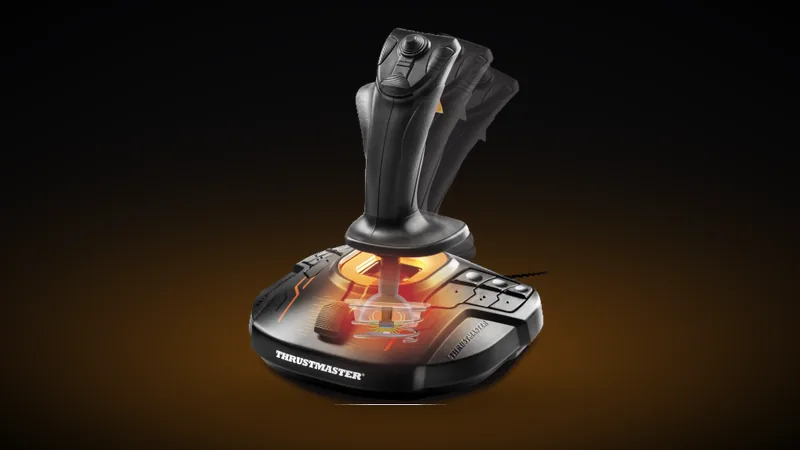
T.16000M FCS DUO
Ambidextrous budget powerhouse. The T16000M uses reliable Hall effect sensors for precise 6DOF control.
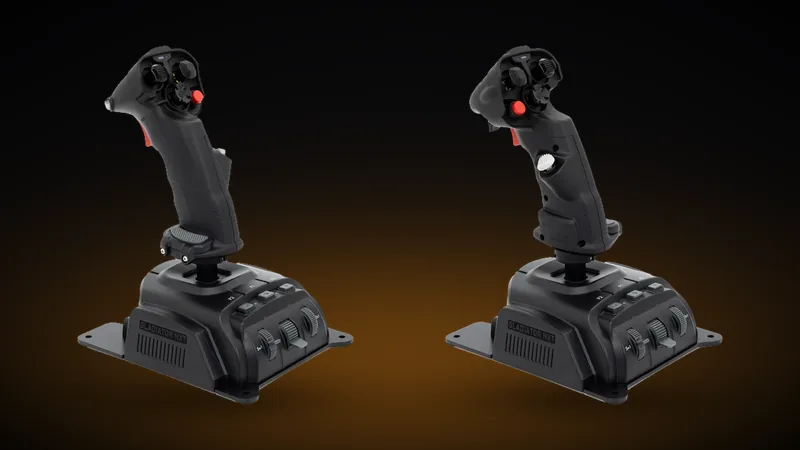
GLADIATOR NXT EVO HOSAS
The Space Combat Edition sold as separate right hand and left hand sticks. A HOSAS setup needs both. Sticks start at $119.00 and the usual configurations land around $139.00, so budget roughly $240 to $280 for the pair rather than the price of one listing.
Best HOTAS setups for Star Citizen: joystick and throttle
A HOTAS is one joystick plus a dedicated throttle, so unlike the matched HOSAS pairs above it is usually assembled from two separate purchases. Check what is in the box before you order, because a listing for a stick alone will not give you a working setup.
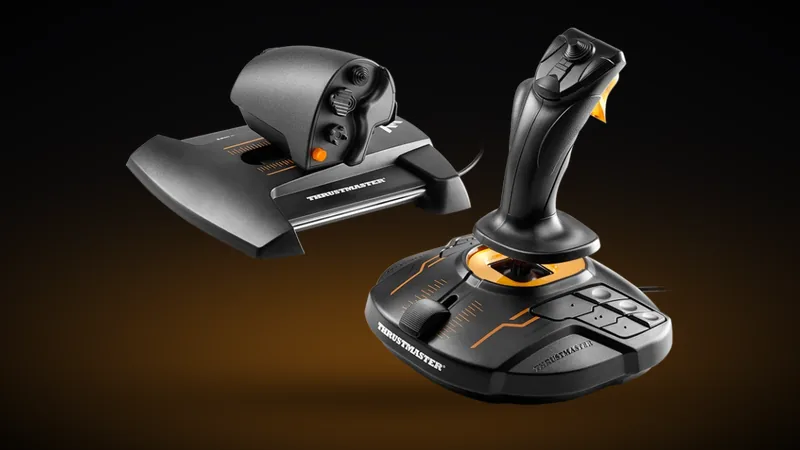
T.16000M FCS HOTAS
The most reliable entry level HOTAS on the market. The stick runs the same H.E.A.R.T. HallEffect sensors as Thrustmaster’s far pricier Warthog, and the TWCS throttle moves on a sliding rail with a finger paddle on the back that most pilots map to lateral or vertical strafing.
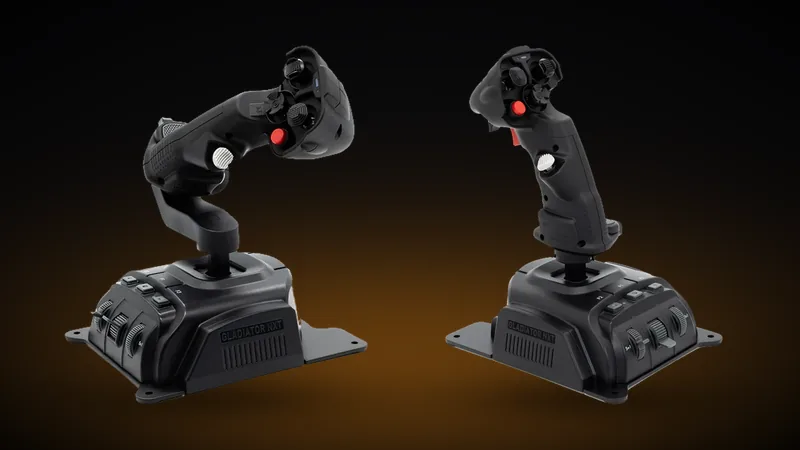
GLADIATOR NXT EVO HOTAS
A HOTAS assembled from two separate purchases: the Space Combat Edition joystick for your right hand from $119.00, and the Omni Throttle for your left at $149.00. You need both. Neither half is a working setup on its own, so budget around $270 to $290 together rather than the headline price of either one.
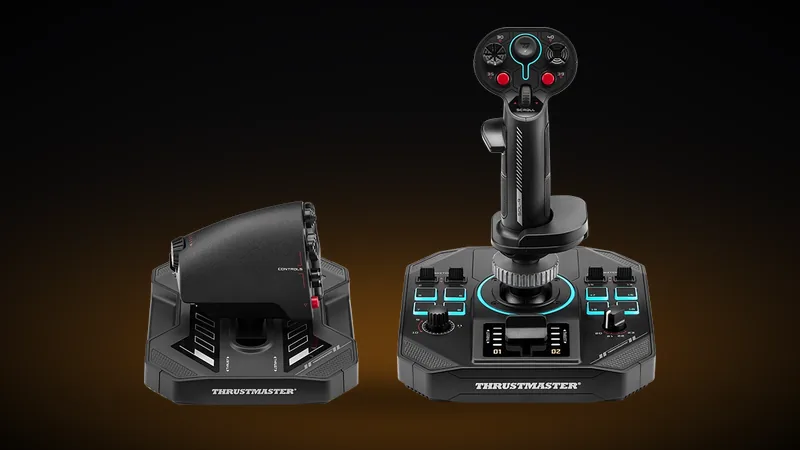
SOL-R 4 HOTAS
An ambidextrous stick paired with a throttle on the S.M.A.R.T. sliding rail, giving 80 mm of travel and four configurable detents for afterburner stops. The grip carries 21 buttons, two hat switches, a mini stick and a thumbwheel, and the set maps up to 58 actions.
Rudder pedals for Star Citizen
Pedals free up a hand. Most pilots put yaw or roll on the sliding axis so the stick is left doing pitch and strafe, and map the toe brakes to forward and reverse strafe or to the space brake. Any USB pedal set works, because Star Citizen reads them as ordinary axes.
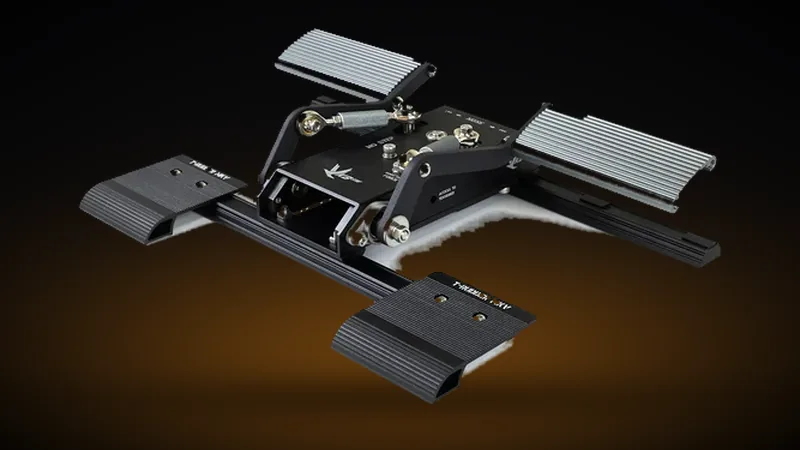
VKB T-RUDDERS MK.V
A vertical push down action rather than a long forward slide, so they fit under a desk where a sliding set will not. $199.00 direct from VKB, and the obvious pick if you already fly their sticks or you are short on leg room.
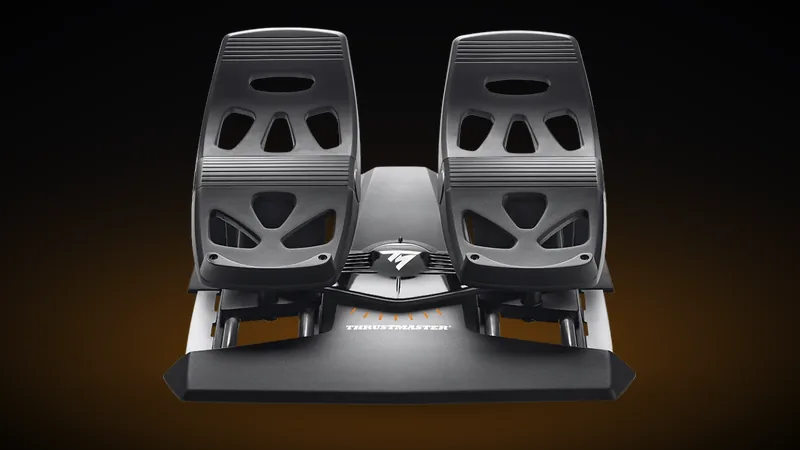
THRUSTMASTER TFRP
The usual first set of pedals. Four industrial aluminium rails on the S.M.A.R.T. sliding system, a self centering rudder axis and large differential brake pedals with removable heel rests. Works with any joystick on PC.

MFG CROSSWIND V3
The set the sim community treats as the benchmark. All metal, adjustable geometry, hall sensors and an optional hydraulic damper. Sold direct by Milan Flight Gear at $310.54, and the narrow base really wants mounting to a rig rather than sitting loose on carpet.
Head and eye tracking for Star Citizen
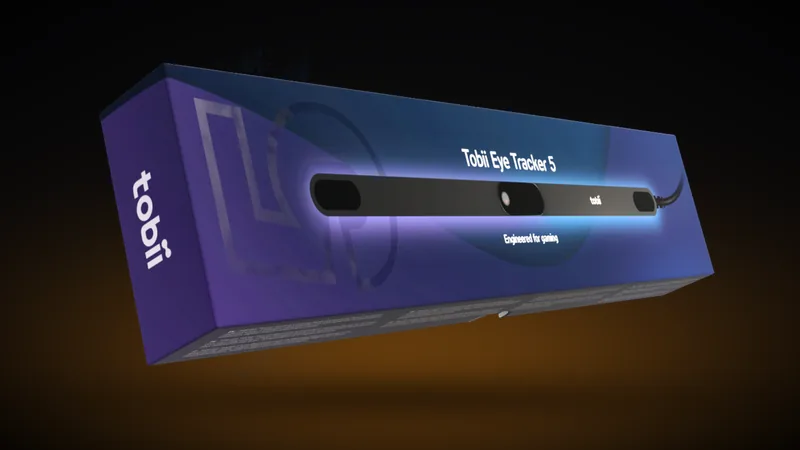
TOBII EYE TRACKER 5
Native head and eye tracking hardware that is extremely easy to use, practically plug and play and requires no hardware to be worn, and has one wire to hookup to your PC. Essential for situational awareness in space dogfights without a VR headset. The ease of use and quality tracking it provides makes it the Gold Standard.

TRACKIR 5
Ultra-low latency, 6DOF head tracking. Unlike the Tobii eye tracker, it requires wearing an IR clip on your body for it to function, but delivers but it can be a bit more precise for dedicated combat pilots.

BEAM EYE TRACKER
AI powered webcam head tracking tracker. The lowest-cost path to gain 6DOF head movement immersion.
Best webcams for Star Citizen FOIP
FOIP (Face Over IP) is built into Star Citizen and needs no extra software. Your webcam reads your expressions and maps them onto your character’s face in game, so the crew you are flying with sees you react rather than a blank helmet. It asks for frame rate and low-light handling rather than resolution, which is why a fast 1080p camera beats a slow 4K one.

OBSBOT MEET SE
Outputs up to 1080p at 100 FPS. The high frame rate is what FOIP actually rewards, giving smooth facial capture instead of the stutter a 30 FPS camera produces.
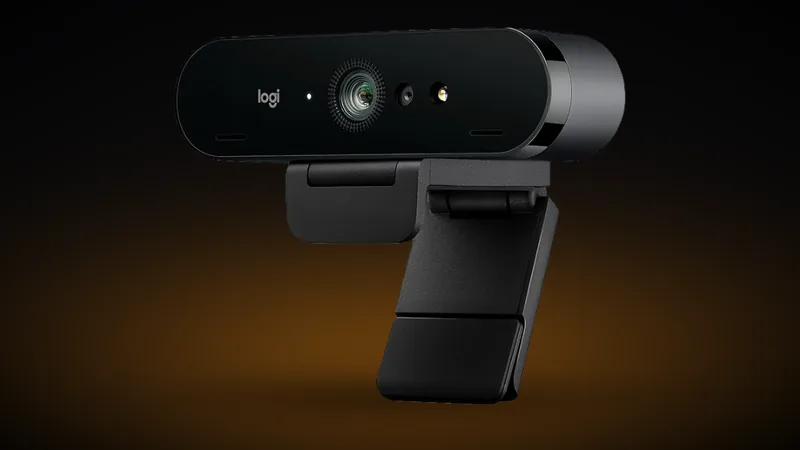
LOGITECH BRIO 4K
A staple high framerate webcam that handles variable lighting reliably, so FOIP keeps reading your face in a dim room rather than dropping out.
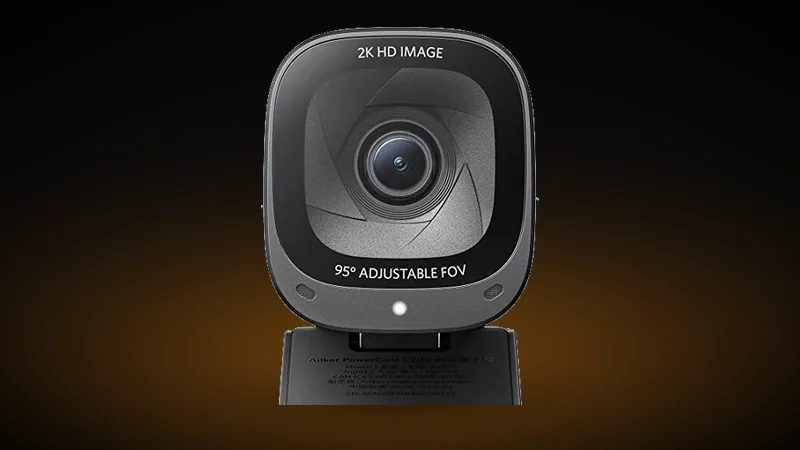
ANKER POWERCONF C200
The best value upgrade. Crisp 2K video at a stable 60 FPS, which is enough for responsive FOIP without spending on a flagship camera.
Secondary displays and MFD panels

GAMEGLASS MFD
Turn any tablet into an interactive MFD layout. Fully integrated with Star Citizen ship cockpit systems. Premium is free for 14 days, so you can fly a full loadout of shards before you decide.
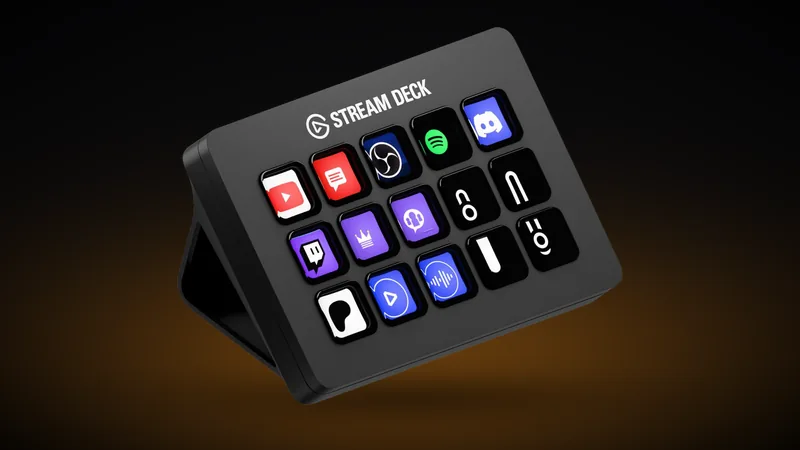
STREAM DECK MK.2
15 LCD macro keys. Map ship systems, power distribution, and landing logistics to tactile buttons.

CORSAIR GALLEON 100 SD
Stream Deck controller technology fused directly into a full mechanical keyboard. Macro keys, ship management and typing, all on one device. Eliminates the need for a separate hardware macro pad entirely.
Force feedback and haptic gear
Haptics reach Star Citizen two ways. D-BOX is driven by the game itself, using the motion telemetry integration added in Alpha 4.8, and it is the only hardware Star Citizen supports natively. Everything else is audio driven: the device listens to the game’s sound and converts it to vibration, which is why a vest or a chair transducer works without any Star Citizen support at all.

WOOJER VEST 4
High-fidelity haptic gaming vest with 360° full-torso coverage via 6 Osci™ TRX2 transducers. Feel weapon recoil, engine thrust rumble, and missile locks directly in your chest and back.

D-BOX HAPTIC MOTION
The only haptics Star Citizen drives natively. Alpha 4.8 added a D-BOX motion telemetry integration, so the game feeds real motion data rather than the device guessing from audio. A two actuator system gives roll and pitch, four adds heave, and eight covers sway, surge and yaw. Install the motion code from HaptiSync Center and it detects the game on its own with nothing to configure.

BUTTKICKER GAMER
A transducer that clamps to your chair or rig and moves mass rather than air, so you feel engine rumble and hull impacts through the seat instead of hearing them. It runs off your existing audio signal, which means it works with Star Citizen with no integration at all. Current models are the Gamer Plus and Gamer Pro.
Does Star Citizen support VR headsets?

META QUEST 3 & 3S
The best standalone entry points for virtual reality space flight simulation. Pancake lenses and inside-out tracking options mean no complex base stations are required on your gaming desk.
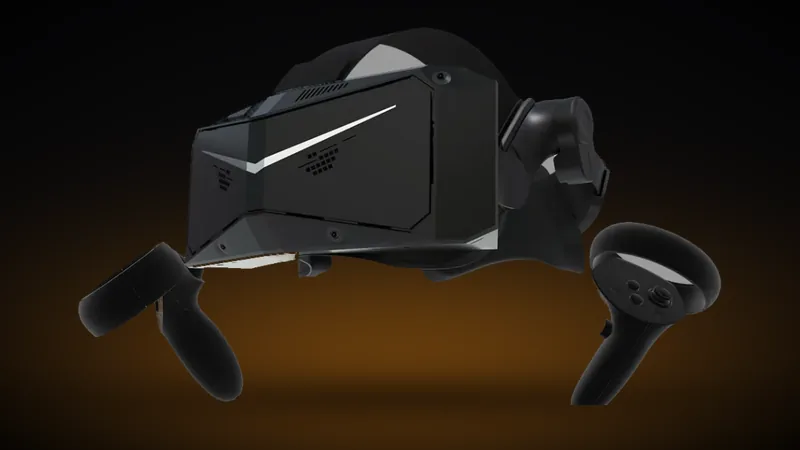
PIMAX CRYSTAL LIGHT
High resolution QLED panels with native DisplayPort wired data connection to eliminate compression artifacts. Perfect for reading high-fidelity instrumentation screens inside starship cockpits.

BIGSCREEN BEYOND 2
World’s smallest and lightest micro-OLED VR headset. Built with premium custom optics for sim pilots who desire maximum visual black depths without wearing bulky equipment.
Star Citizen gear and hardware FAQ
Do I need a joystick or dual flight sticks (HOSAS) to play Star Citizen?
No. Star Citizen is fully playable on mouse and keyboard or a gamepad, and plenty of pilots never move off them. What HOSAS changes is control resolution: strafing on a keyboard is on or off, while an analogue joystick gives you the small corrections a keypress cannot. If you mostly haul, mine or explore, a stick setup is a comfort upgrade rather than a requirement.
HOSAS or HOTAS: which is better for Star Citizen?
HOSAS, for most Star Citizen pilots. A HOTAS pairs one joystick with a throttle, which suits aircraft where thrust is a value you set and then leave alone. Star Citizen asks you to translate on three axes while you are still rotating, so the second stick earns its place in a way a throttle cannot. A HOTAS is still the right buy if you already own one, if you fly atmospheric sims as well, or if you want a physical detent to hold a cruise setting. Both layouts are covered above.
Is head tracking worth it in Star Citizen?
For combat, it is the single biggest situational-awareness upgrade short of VR. Without it you hold a button to free-look, which means taking a hand off your controls exactly when you can least afford to. With head or eye tracking your view follows your head naturally, so you can keep a target in sight through a turn while still flying the ship.
Tobii Eye Tracker 5 or TrackIR 5: which should I buy?
They solve the same problem differently. The Tobii Eye Tracker 5 sits under your monitor and tracks both your head and your eyes with nothing worn on your body. TrackIR 5 needs a reflective clip mounted to a headset or cap, which some pilots dislike, but it is prized for very low latency and precise 6DOF response. If you wear headphones anyway, TrackIR is easy to live with; The best overall option both in form, function, and comfort is definitely Tobii.
Can I use a normal webcam instead of dedicated tracking hardware?
For head tracking, a dedicated sensor is the consistent option: webcam-based tracking software exists, but its results swing with your camera and your lighting in a way a dedicated sensor does not. A webcam does have its own job in Star Citizen though, and that is FOIP: your expressions are mapped onto your character in game, with no extra software needed. That is what the webcam section above is for.
What should I buy first if I am on a limited budget?
Buy for the role you actually fly. If you spend your time in fighters, sticks and tracking come first. If you haul cargo, run salvage or crew a multi-crew ship, a Stream Deck or GameGlass tablet for ship management will do more for you than a second stick. If you mine or explore solo, prioritise comfort over long sessions, because head tracking and a good seating position beat raw precision.
Does Star Citizen support VR?
Yes. Star Citizen supports VR natively, so a headset puts you in the cockpit without third-party software in the middle. Be aware of what it asks of your hardware: rendering two high-resolution views of a game this demanding is far heavier than running it flat, so plan your GPU around the headset you choose. VR also pairs naturally with physical controls rather than replacing them, because once the headset is on you cannot see your keyboard, which is exactly when sticks, a Stream Deck or a GameGlass tablet stop being luxuries.
